Data Import
-
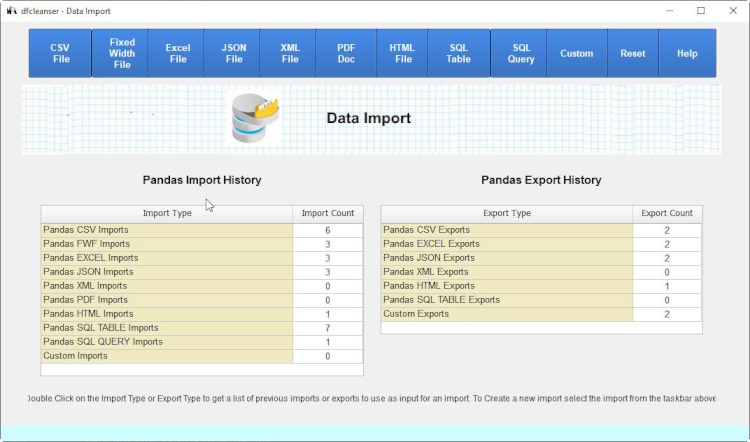
Data Import is defined to provide importing of external datasources to a pandas dataframe.
-
Import From Histories
dfcleanser maintains histories of previous imports to assist the user in reimporting files or using previous imports as a template. The user can also delete previous import histories if desired.
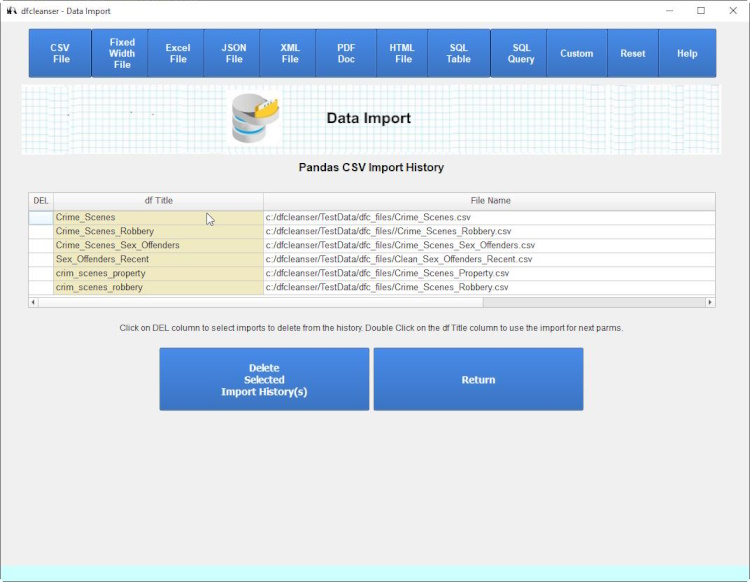
Import From Histories Parameters
dfcleanser will display the import parms for the history import so the user can decide to use the import.
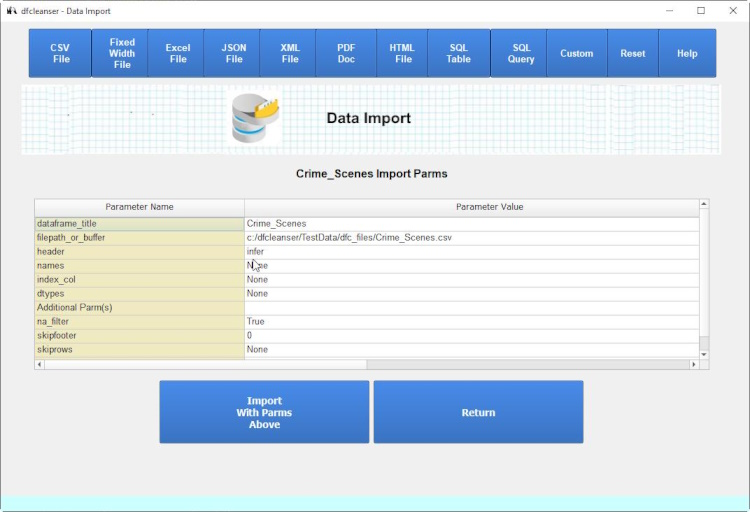
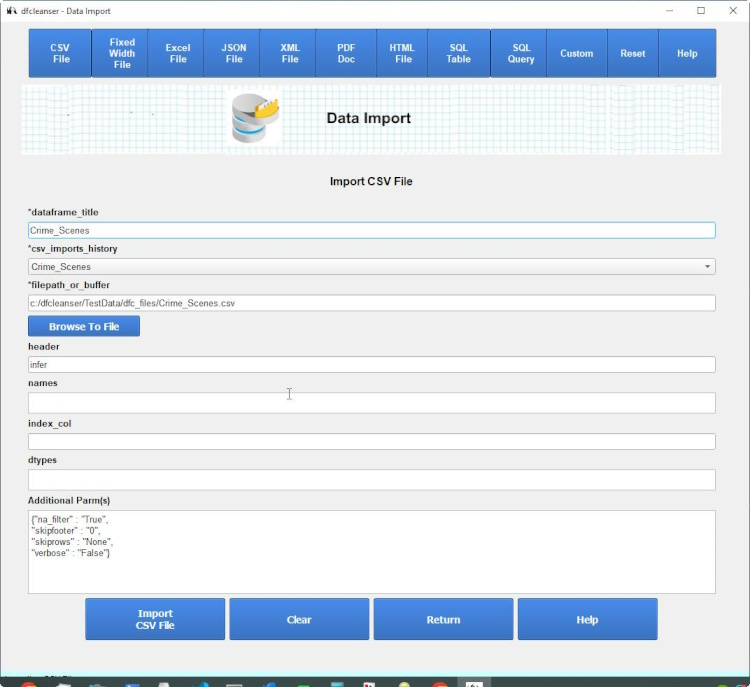
Import Form
The import form is displayed for the user to modiify parms or import as is.
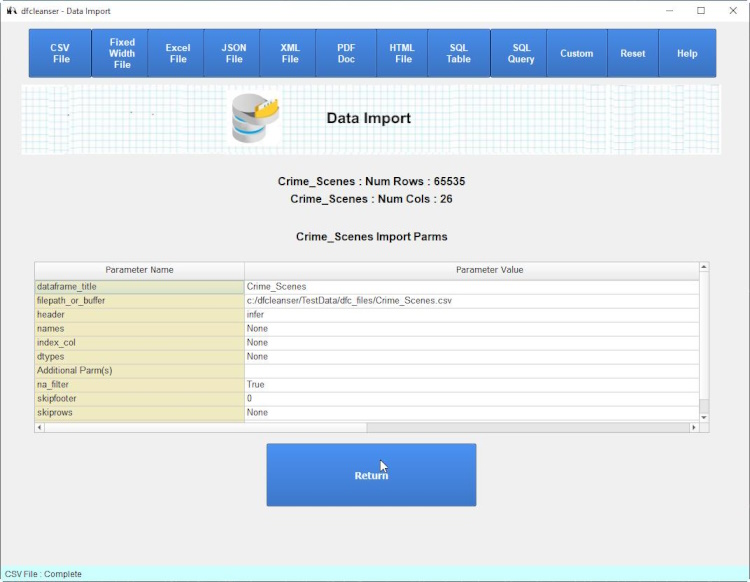
Import Status
The status of the import is displayed for the user to view results.
Import From Export Histories
When you import from an export history the relevant parms such as file location are used in the imput parms.
-
Import Additional Parms
Each import form contains an Additional Parms section to define import parms not listed in the import templates.
Additional Parms are defined via dicts that are parsed by dfcleanser before importing.

-
Pandas Dataframe

-
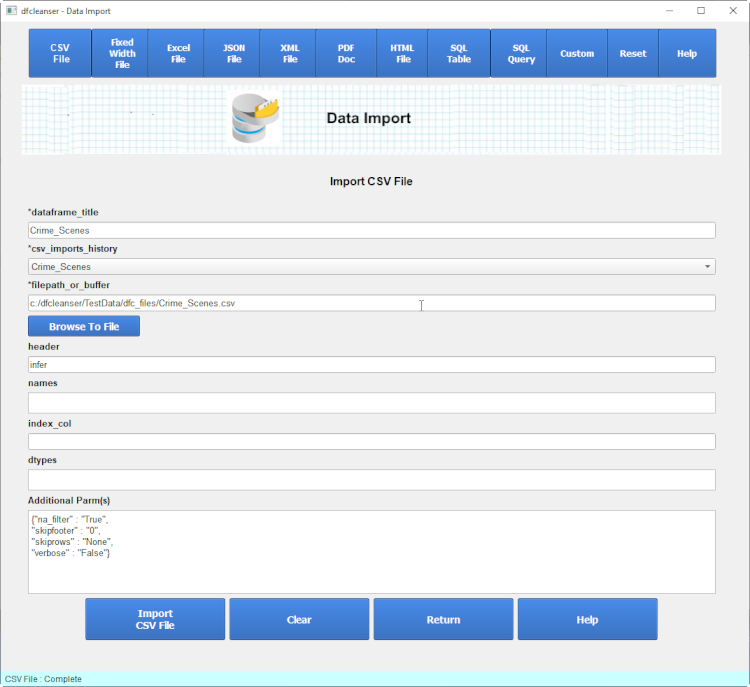
CSV File
Initial import forms show the minimum critical import parameters plus any entered from the import history. To get a full list of parameters to enter for an import click on the 'Show All Parameters' button.
-
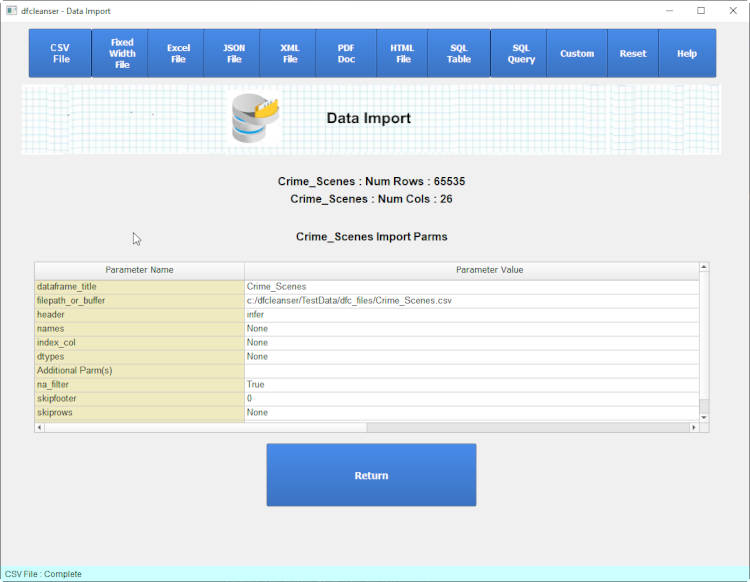
Import Status
After importing the status is displayed and the import added to the histories file.
-
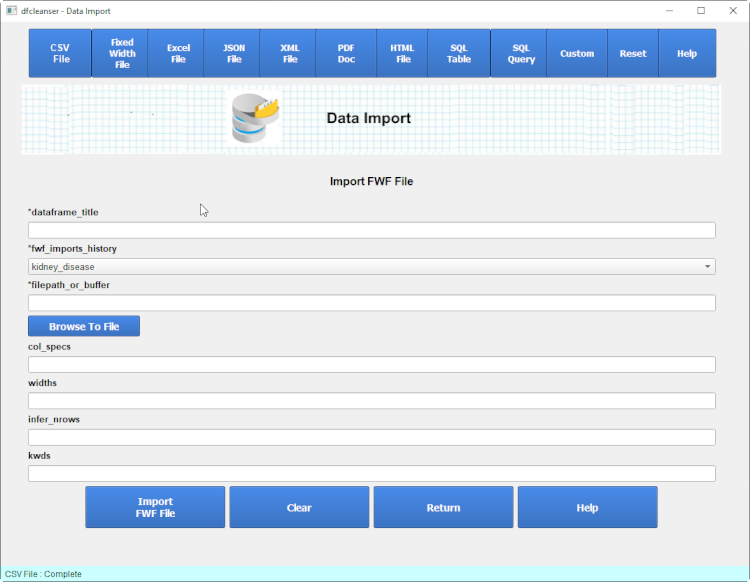
FWF File
Pandas supports importing fwf files via the pandas.read_fwf() method. Click for details on the read_fwf call.
-
-
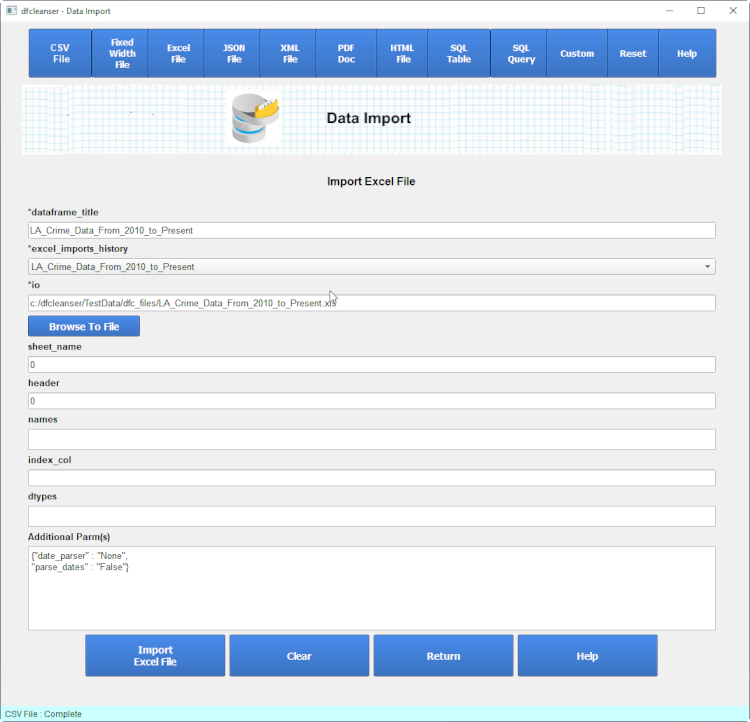
Excel File
Pandas supports importing excel files via the pandas.read_excel() method. Click for details on the read_excel call.
-
-
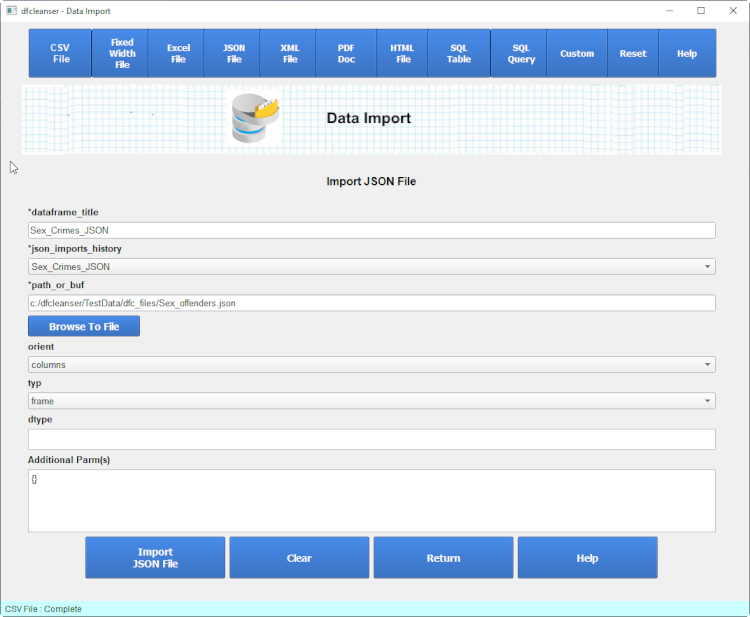
JSON File
Pandas supports importing json files via the pandas.read_json() method. Click for details on the read_json call.
-
-
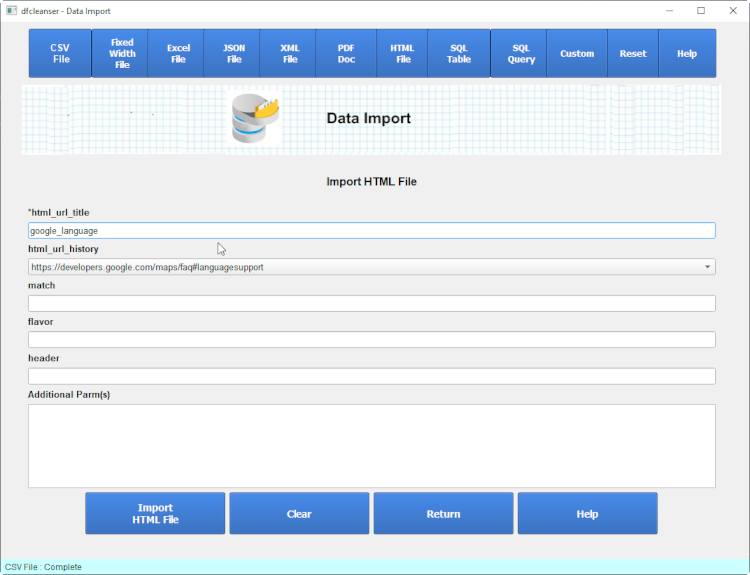
HTML File
Pandas supports importing html files via the pandas.read_html() method. Click for details on the read_html call.
-
-
SQL
Pandas sql support allows for the importing of data from a sql database into a pandas dataframe.
The dataframe cleanser import automates connection to a common set of databases and corresponding python libs.
You must initially define the database, python lib and the connection parms.
SQL Libs
You can select which database and lib to connect to and then enter the appropriate connection parms.
The pandas import sql makes use of both a native and sqlalchemy connector libraries. The native library provides python connect functionality and the SQLAlchemy library provides a wrapper around the native library. Both are essential to using the pandas sql import functionality.
To get detailed info on the native libraries click on one of the following :
To get detailed info on the SQLAlchemy libraries click on one of the following :
SQL Connections
You can select the database and driver to use via selecting the driver from the db_connector table. You must defihne a SQL Connection to import SQL Table or SQL Query.
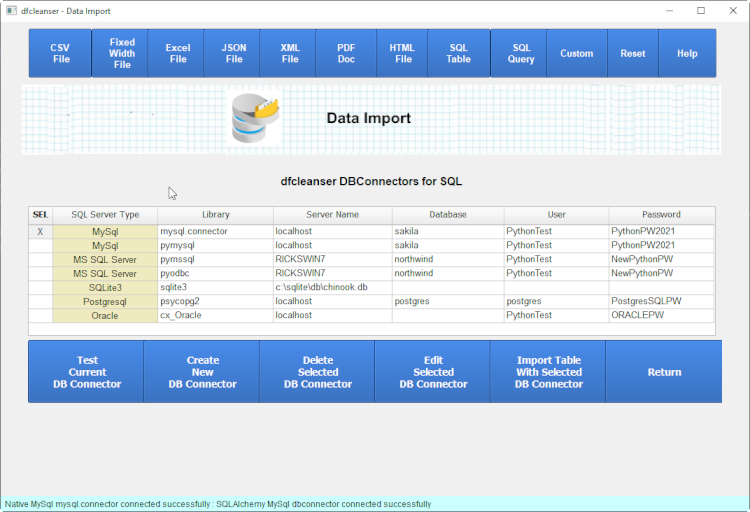
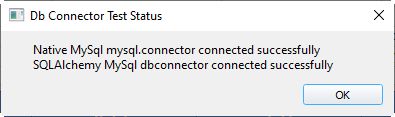
Test SQL Connections
Once you select the database and driver to use you can test the connectors and drivers.
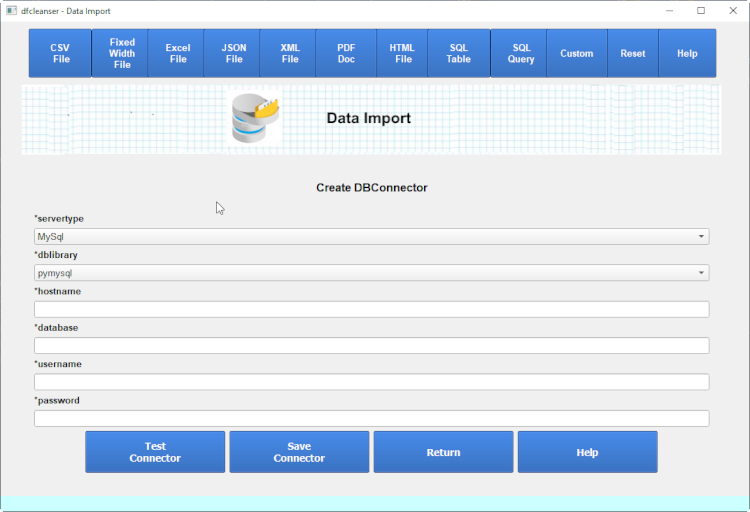
Create SQL Connections
You can define new sql connectors.
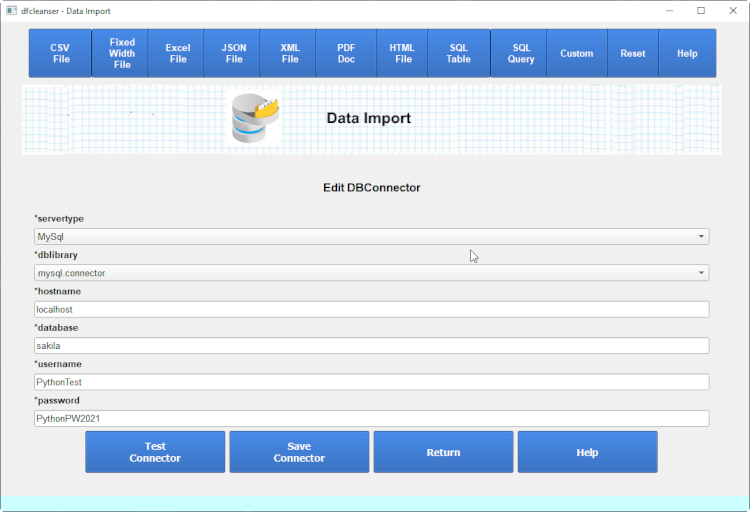
Edit SQL Connections
You can edit existing sql connectors.
SQL Table
Once you verify the database connector you can import the desired table.
Pandas supports importing from sql via the read_sql_table call.
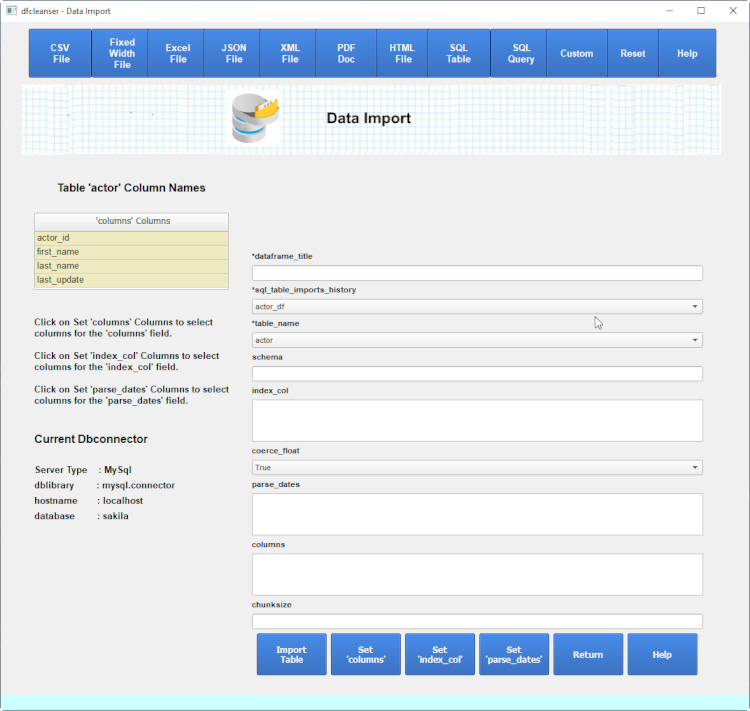
dfcleanser verifies the dtabase you want to run the import against.
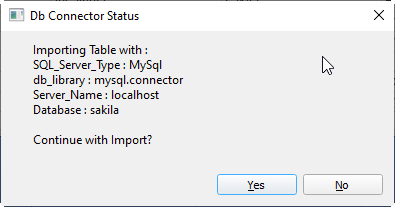

SQL Import - Import History
When the import form is displayed you can select from the sql_table_import_history field to select a starting point.
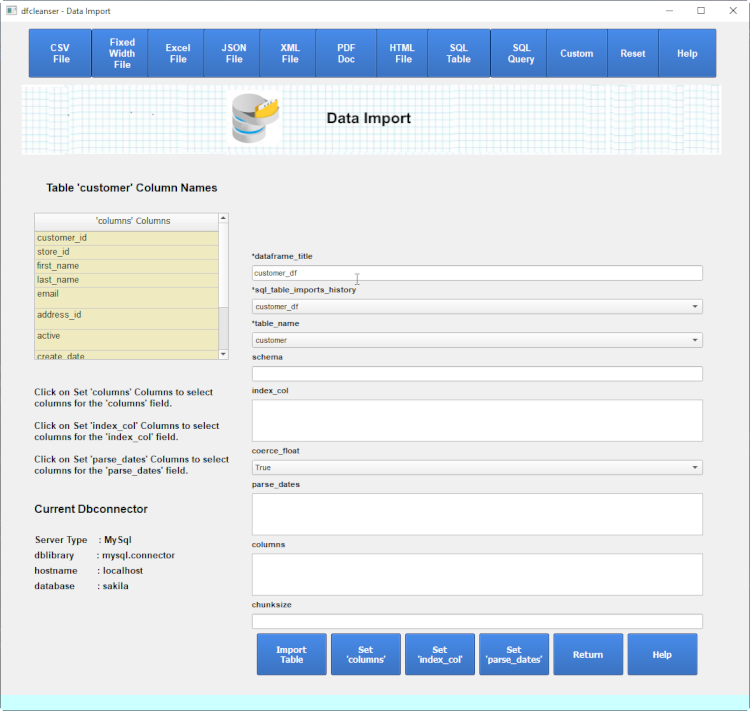
SQL Import - Table Name
When the import form is displayed you can select from the table_name field to select a table for import.
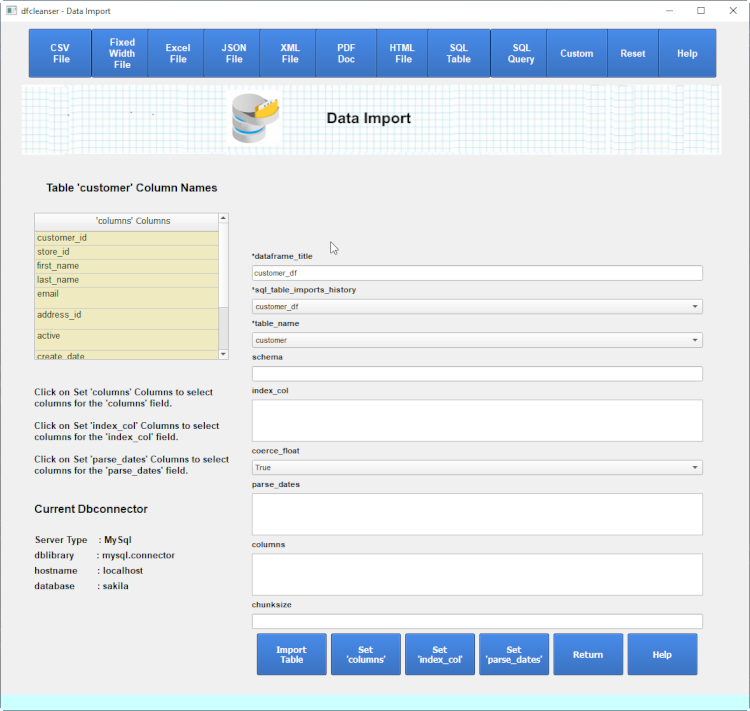
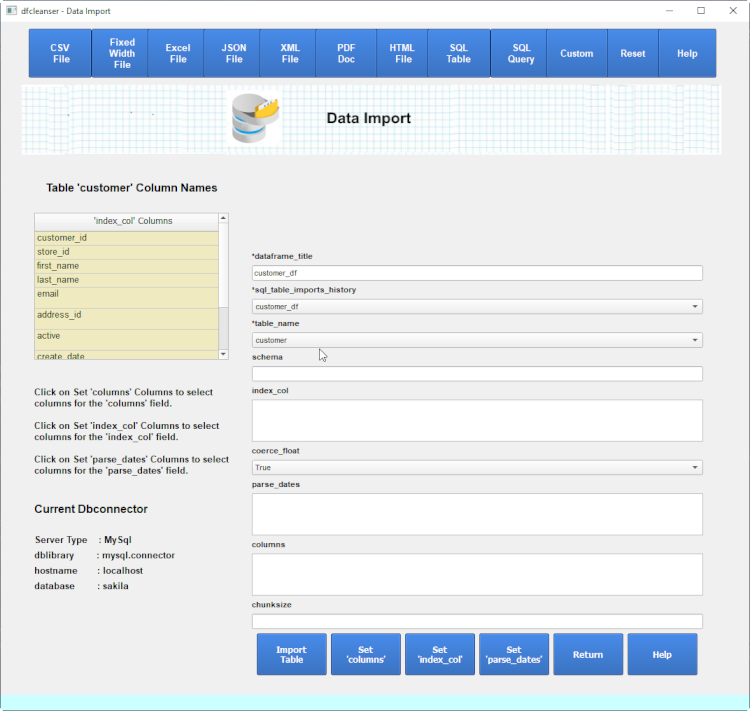
SQL Import - Index Columns List
When the import form is displayed you can click on the 'Set index_col' key to get a list of column names. At this time the form 'index_col' is enabled so clicking on any column in the column names table will be inserted into the 'index_col' form field. The 'columns' and 'parse_dates' fields are disabled.
SQL Import - Columns List
When the import form is displayed you can click on the 'List columns list' key to get a list of column names. At this time the form 'columns' is enabled so clicking on any column in the column names table will be inserted into the 'columns' form field. The 'index_col' and 'parse_dates' fields are disabled.
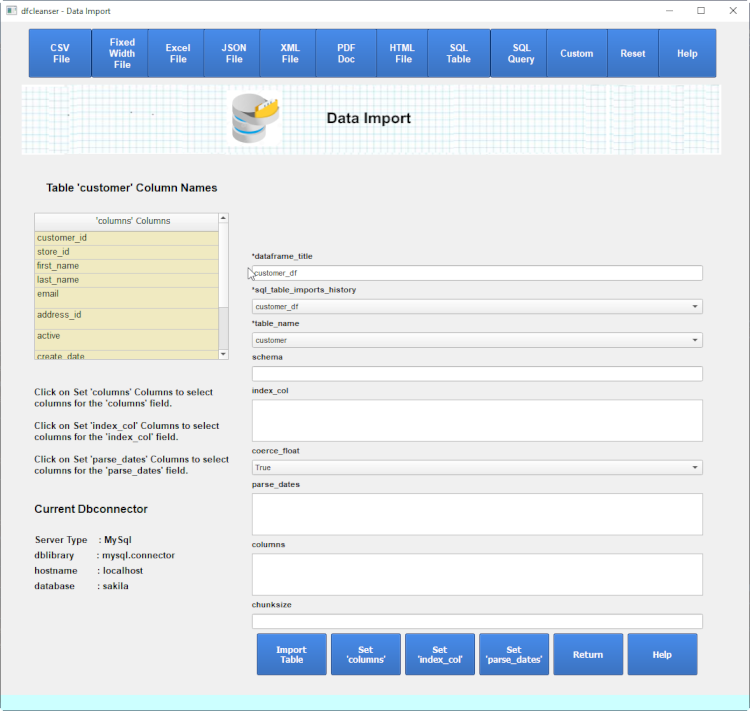
Any columns in the 'columns' field define only those columns to retrieve. If 'columns' is empty all coulmns are retrieved.
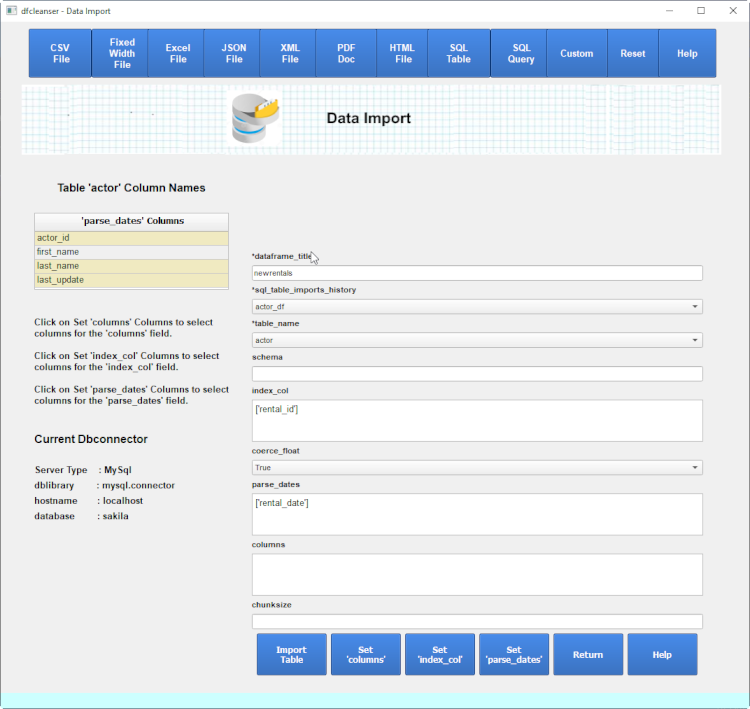
SQL Import - parse_dates Columns List
When the import form is displayed you can click on the 'List parse_dates list' key to get a list of column names. At this time the form 'parse_dates' is enabled so clicking on any column in the column names table will be inserted into the 'parse_dates' form field. The 'columns' and 'index_col' fields are disabled.
SQL Import Table Status - Results
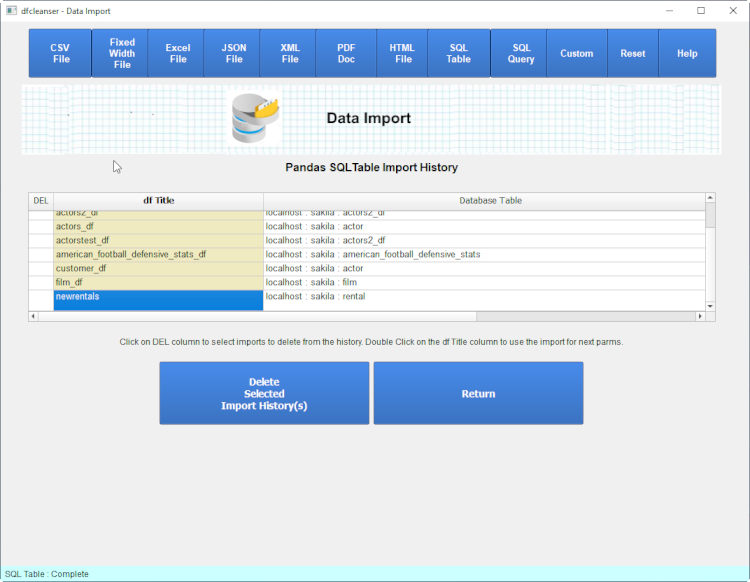
When the import is completed a status message is diplayed asking if you want to save in history.
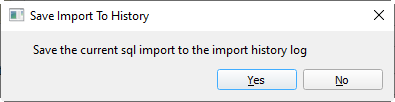
When the import is completed you can check the histories list to verify the import was saved.
SQL Query
Pandas sql query support allows for the importing of data using a sql query into a pandas dataframe.
Pandas supports importing from sql via the read_sql_query call.
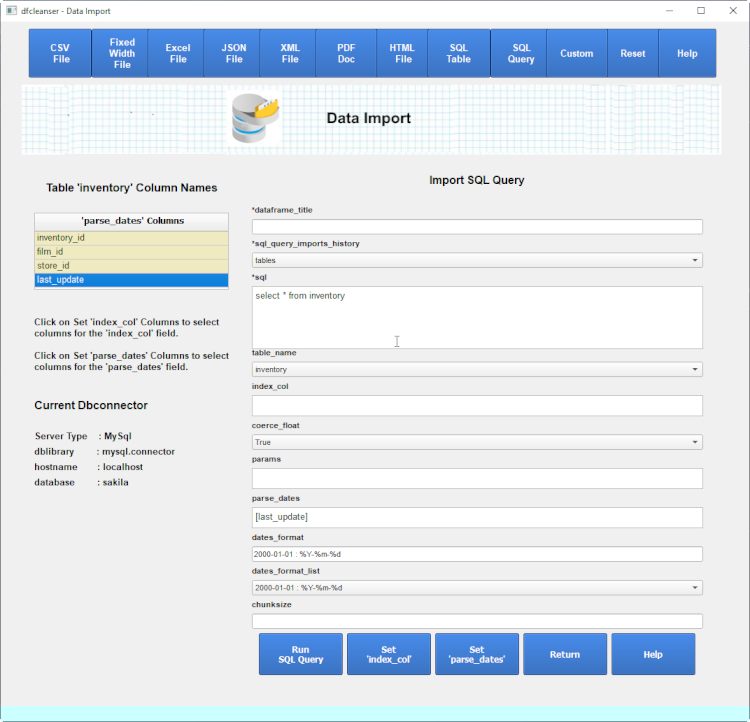
The initial import query form displays the tables defined for the database selected in the connector.
To get a list of columns for a table select the table.
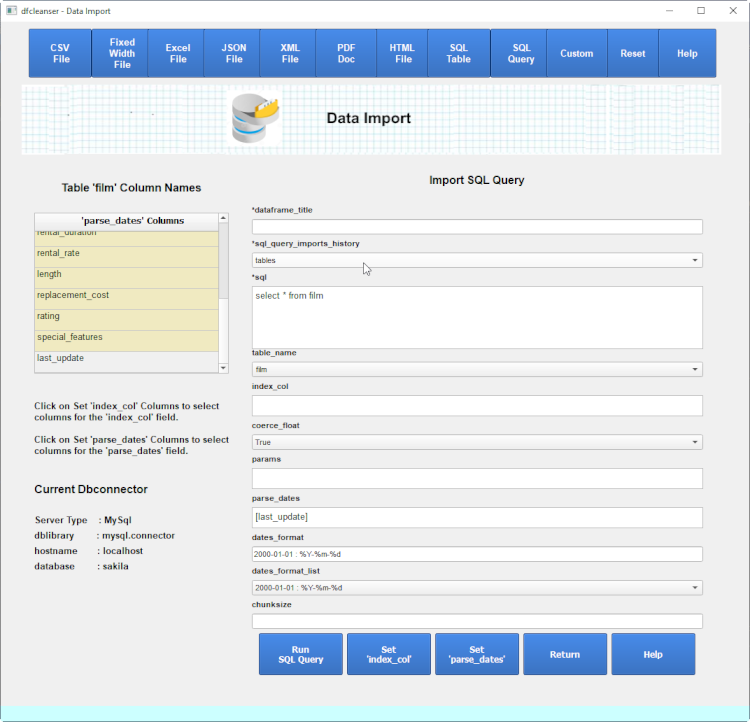
SQL Import - Columns List
SQL Import - Index Columns List
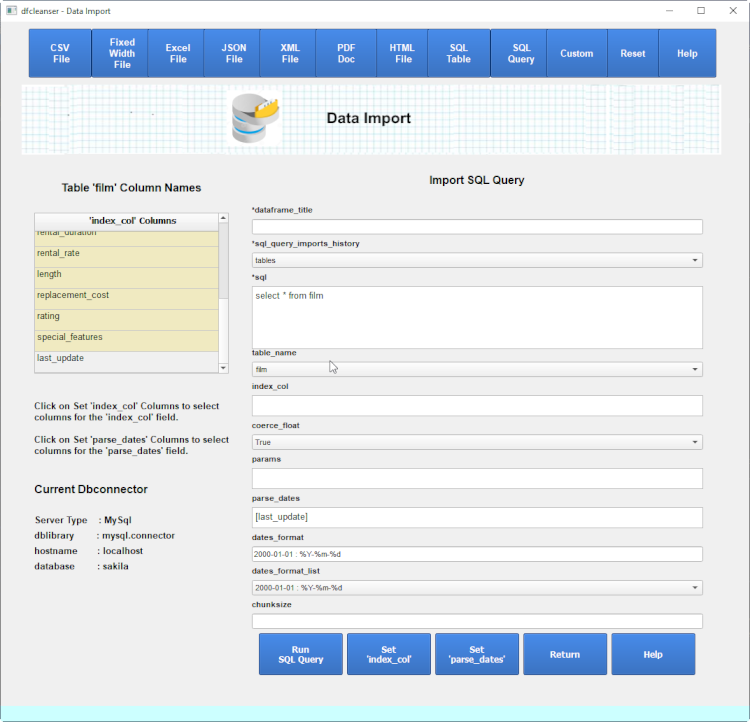
When the import form is displayed you can click on the 'List index_col list' key to get a list of column names. At this time the form 'index_col' is enabled so clicking on any column in the column names table will be inserted into the 'index_col' form field. The 'columns' and 'parse_dates' fields are disabled.
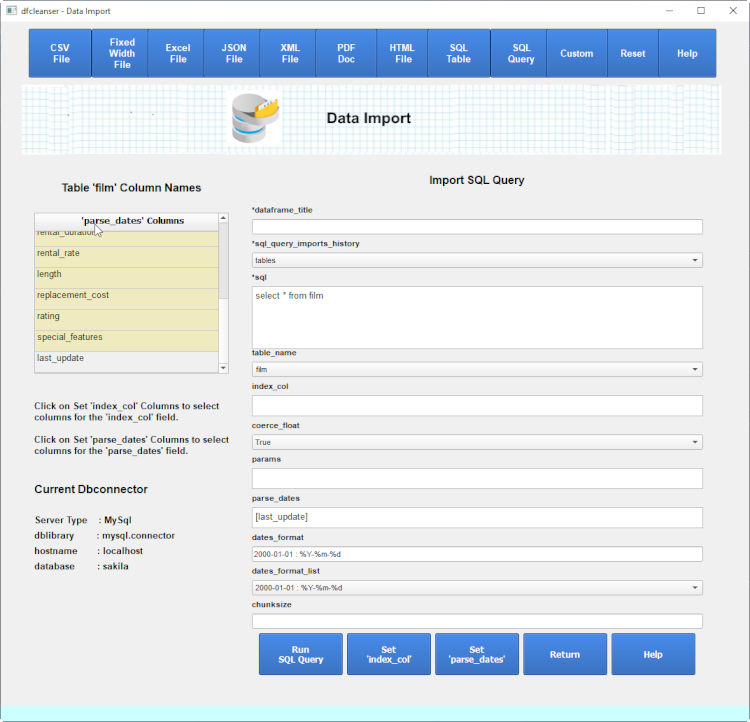
SQL Import - parse_dates Columns List
When the import form is displayed you can click on the 'List parse_dates list' key to get a list of column names. At this time the form 'parse_dates' is enabled so clicking on any column in the column names table will be inserted into the 'parse_dates' form field. The 'columns' and 'index_col' fields are disabled.
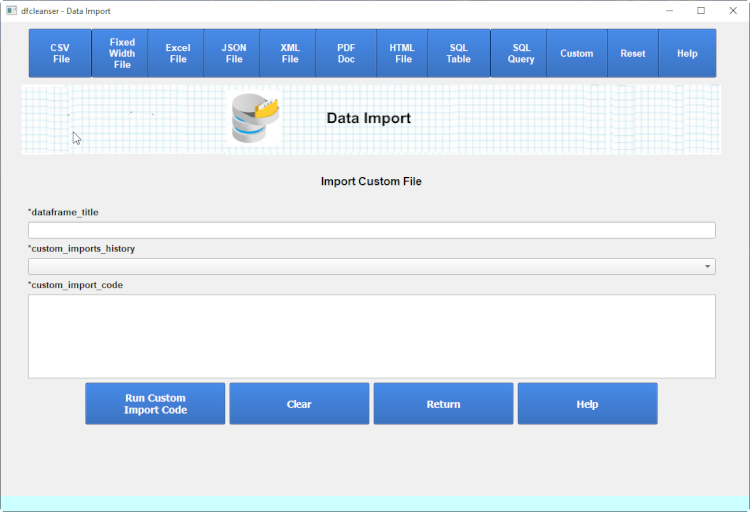
Custom Import
dfc provides a generic way to import a dataframe and store it in the dfc manager for visibility in dfc.